
On a healthy burger store, about 10 or 11 out of every 100 people who open the store page end up ordering. Coffee shops land around 10 to 12. When I audit a store that sits well under that, and the store views are there, the menu is usually where the orders are leaking.
People read a delivery menu in a set order. The first thing they look at is price. Picture comes second, description comes third. Most of the mistakes below break one of those three. The rest make the menu harder to get through, or quietly break your promos.
How do you know your menu is costing you orders?
Pull last month's store views and orders from the merchant portal and divide orders by views. If that number is well under 10% and the views look healthy, you have a conversion problem, and the menu is the first place to look. If the views themselves are low, that's a traffic problem and the fix is different. I explain how to tell the two apart in why your restaurant is invisible on DoorDash and Uber Eats.
Use a full calendar month. One slow Tuesday doesn't tell you anything, and the platforms' own "vs last week" comparisons can be way off.
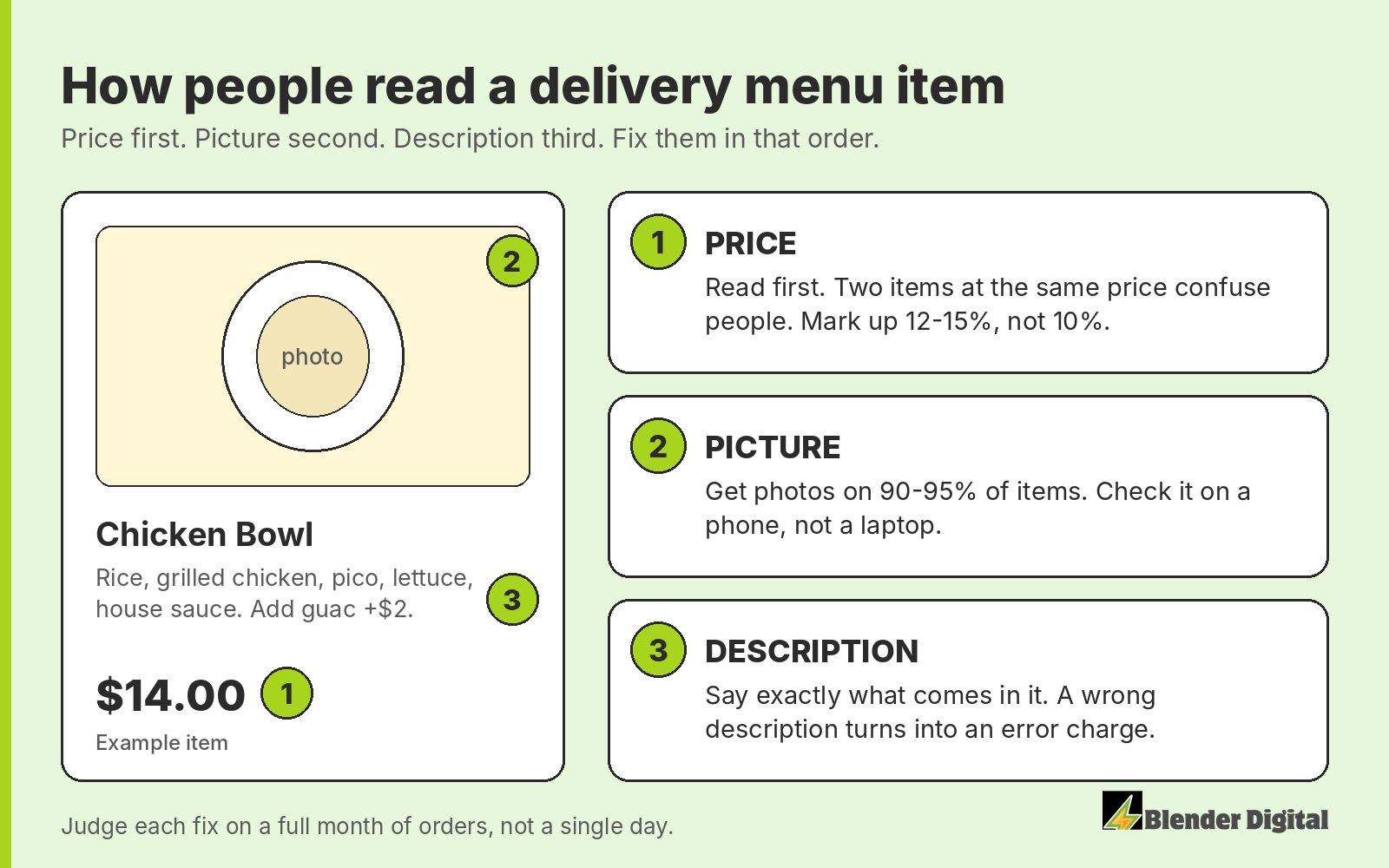
Mistake 1: Prices that confuse people or leave you nothing
Price gets read first, so it has to make sense at a glance. Two items at the same price confuse customers. If your chicken bowl and your steak bowl are both $14, people stop and try to work out what the difference is. Either give them different prices that reflect what's in them, or make it one bowl with a protein choice.
The other problem is markup. A lot of owners copy their in-store prices, or add 10% and stop. At 30% commission, a 10% markup is technically still hurting you. I aim for 12 to 15%. The full math, and how to set prices item by item, is in how to build a separate delivery menu, and the markup parity calculator runs it on your own prices.
Mistake 2: Items with no photo
Picture comes second. It's an online medium, and you have to have pictures in order to sell items. Aim for a photo on 90 to 95% of the menu. Coverage matters more than perfection. Check it on your phone, not on a laptop, because that's where people order.
On DoorDash a missing photo costs you twice. Items without a photo are ineligible for BOGO campaigns, so the item can't carry your best offer either. Uber Eats doesn't have that rule.
Use real photos. The platforms ban AI food photos and they catch them. A regular picture, even if it's not the best quality, goes much further than an AI one. For the big banner at the top of the store, see my hero image tips for DoorDash and Uber Eats.
Mistake 3: Descriptions that are empty or wrong
Description is read third, but a wrong one does real damage. One store we worked with had fries described with jalapeños. The fries didn't come with jalapeños. That one line kept producing item errors on orders the kitchen had made correctly.
Errors cost you more than the refund. DoorDash measures your error rate against your peers, and if your kitchen keeps making mistakes it suppresses you in the rankings. On Uber Eats, staying under 2% is just part of doing business.
So read every description against what actually goes in the bag. Say what's in the item, the count or size where it matters, and what can be added. Keep it short and keep it accurate.
Mistake 4: Best sellers buried under a long menu
Your best sellers, bundles, drinks and add-ons should sit where a thumb finds them in three seconds. If your top item lives in the sixth category, most people scrolling on a phone won't get to it.
A long menu makes this worse. Items that travel badly, get misordered, or are too thin to survive commission are taking up space your best items could use. Cutting them is part of building a proper delivery menu, which I cover step by step in the separate delivery menu guide.
Mistake 5: Add-ons that are free, missing, or typed into notes
Charge for modifiers: sauces, extra protein, size. When customers have to type "extra sauce" into the notes, the request often gets missed. A missed request comes back as an error, on top of the sauce you gave away for free.
The strongest version of this is base plus add-on. Think of a $12 bowl where you click on it and have to pick a protein, with the paid option listed first. That's how the high-volume chains set it up. It also keeps a BOGO profitable, because add-ons are never discounted on a BOGO. The BOGO profit calculator shows the difference on your own numbers.
Mistake 6: Menu edits that quietly break your promos
I learned this one the expensive way. If your menu runs from Toast or another POS, editing an item there can change its item ID on DoorDash. Any item-level campaign tied to the old ID stops working, and nobody tells you. In my case the BOGO campaign just went flat.
Now I make menu changes on a Monday, never right before a busy weekend, and rebuild item-level campaigns right after publishing. I also change one thing at a time. If the menu and the prices change in the same week, you won't be able to tell which change moved the numbers.
Where should you start?
- Work out last month's conversion: orders divided by store views.
- Fix prices. No two similar items at the same price, and a 12 to 15% markup.
- Get photos on 90 to 95% of items, best sellers first.
- Read every description against what goes in the bag.
- Move best sellers and bundles up. Turn free requests into paid modifiers.
- Publish on a Monday, rebuild your item-level campaigns, then leave it alone for the month.
Do this before you buy ads. Ads send more people to the same menu, so a menu that loses orders just loses more of them. I walk through that order in what to fix before running DoorDash or Uber Eats ads.
The menu is the first thing my team goes through when we take on a store: prices, photos, descriptions, and how it's built in the POS. If you want a second pair of eyes on yours, send me your store link and I'll tell you what I'd fix first.
FAQ
What is a good conversion rate for a DoorDash or Uber Eats store?
For a burger store, about 10 to 11% of store views turning into orders is healthy, and 20% is very high. Coffee shops run around 10 to 12%. Judge it on a full calendar month, not a single day.
How much should I mark up my menu on delivery apps?
I aim for 12 to 15%. Matching your in-store take at 30% commission would need about a 43% markup, which nobody can charge, and a 10% markup is usually still hurting you.
How many of my menu items need photos?
Aim for 90 to 95% of items. On DoorDash, items without a photo are not eligible for BOGO campaigns.
Why did my DoorDash BOGO stop working after I edited my menu?
Editing an item in your POS can change its item ID on DoorDash, which silently breaks item-level campaigns. Make menu changes on a Monday and rebuild those campaigns right after you publish.