
Free guide · DoorDash · Uber Eats · Grubhub
How to reply to every DoorDash and Uber Eats review
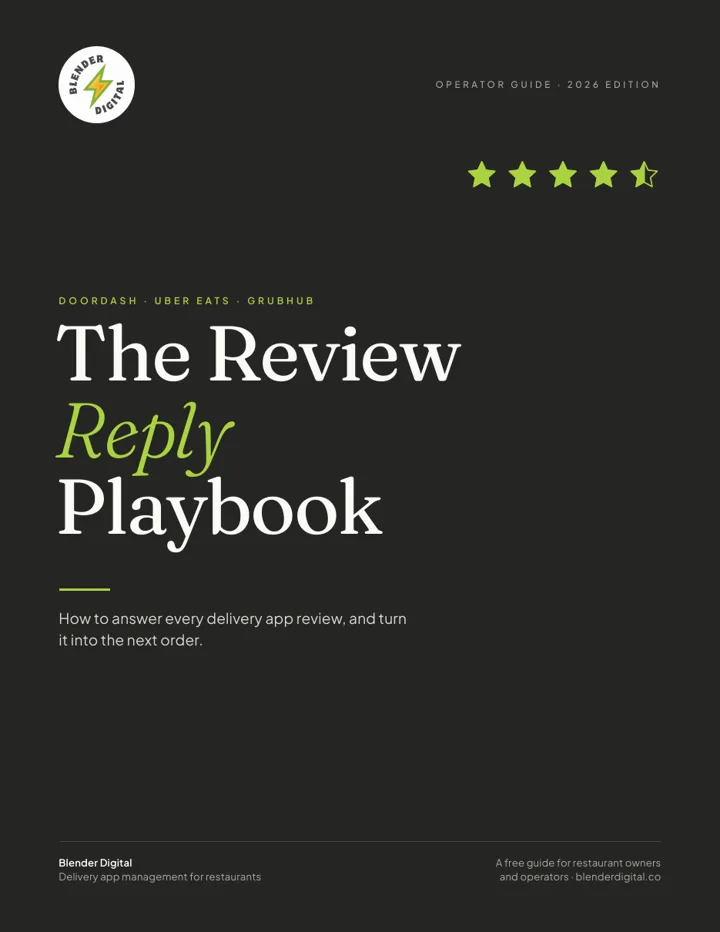
The Review Reply Playbook gives you the exact words for every type of delivery app review, the right offer for each customer, and how each app's reply tools actually work.
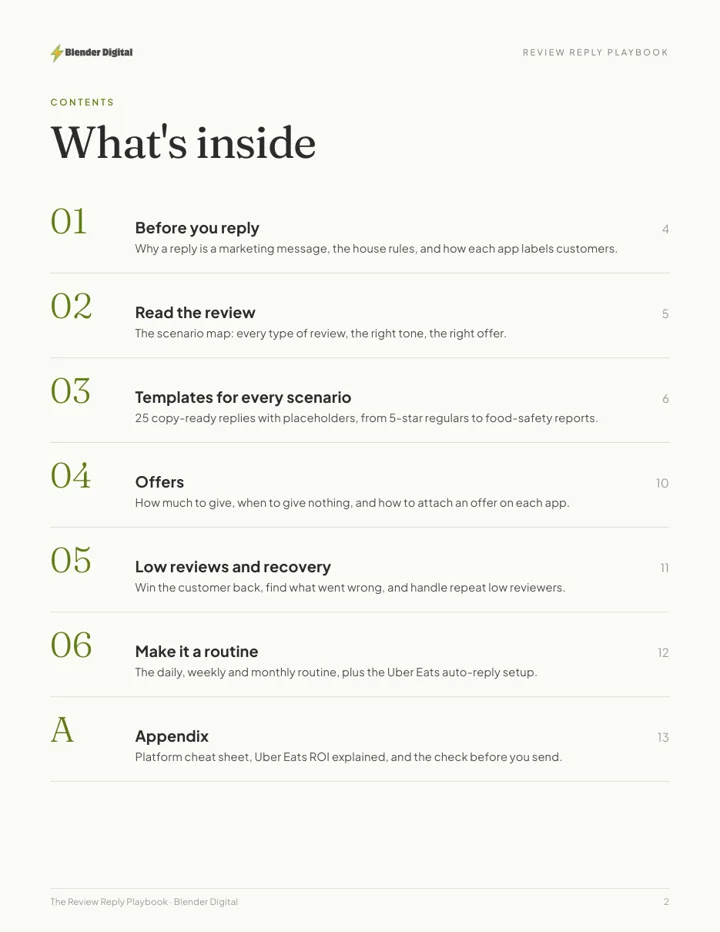
- 25 copy-ready reply templates, from 5-star regulars to food-safety reports
- How much to offer new, returning and unhappy customers, and when to offer nothing
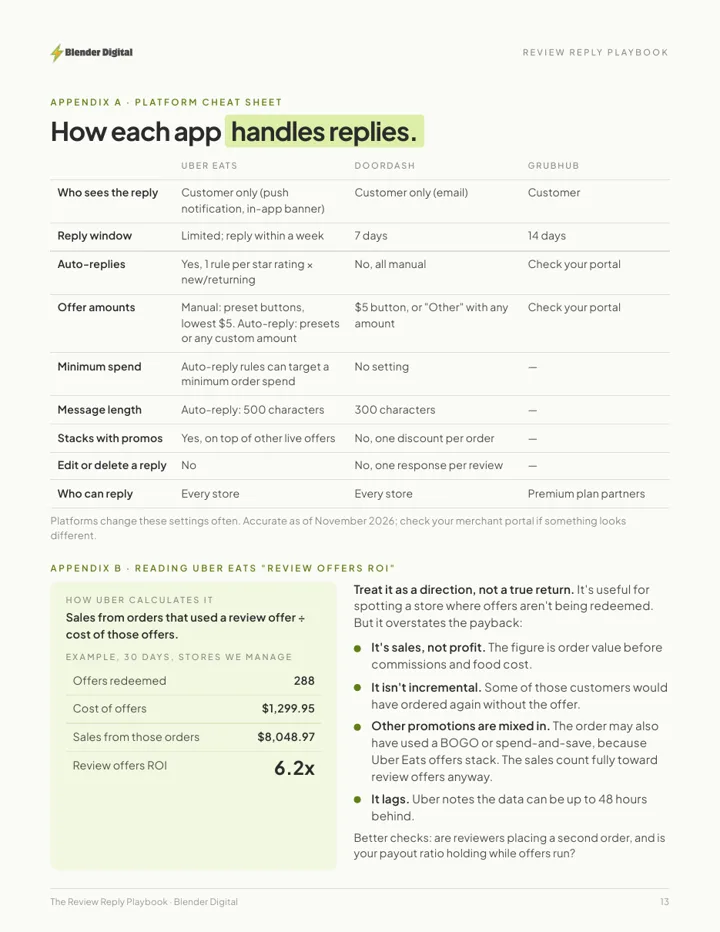
- Platform rules: reply windows, offer limits, auto-replies and character caps
What's inside
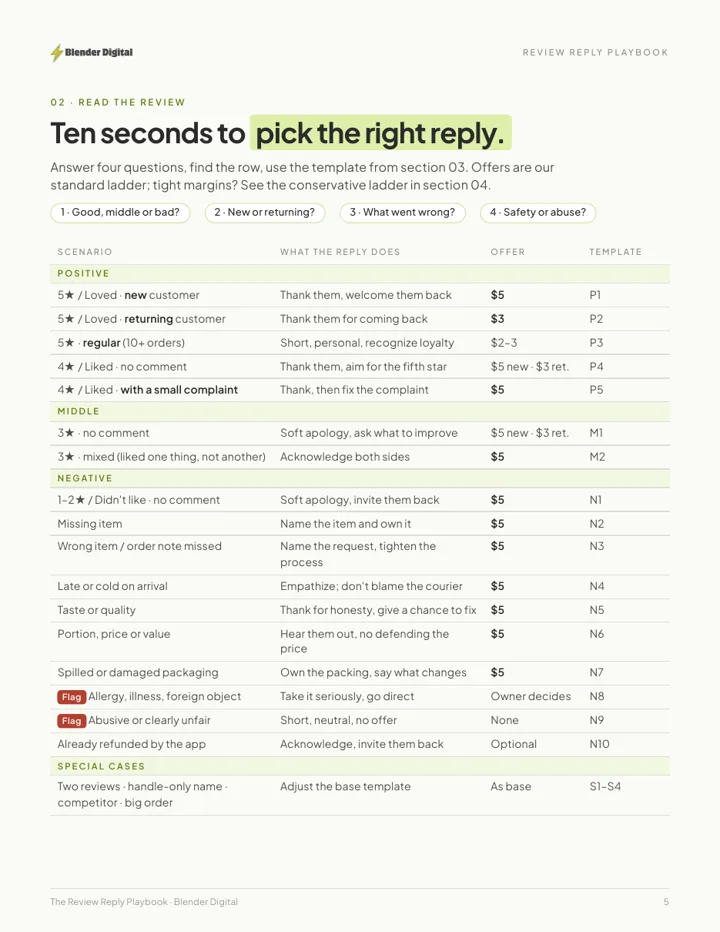
Six sections you can use the same day
Written by the team that replies to reviews every day for the restaurants we manage. No theory, just what to say and what to offer.
A look inside
Built to keep open while you reply
The short version
Why delivery app review replies matter
A reply reaches the customer directly
Replies are private. Uber Eats sends the customer a push notification and an in-app banner; DoorDash sends the reply by email. You're messaging someone who ordered from you days ago.
An offer gives them a reason to order again
Both apps let you attach money off the customer's next order. It costs nothing unless they come back and use it.
You can't delete a rating
Ratings stay on your store. What you can do is reply, fix what caused the low rating, and make the next review better.
The window is short
DoorDash closes replies after 7 days. Most restaurants miss them, and every missed reply is a missed repeat order.
FAQ
Review reply questions, answered
Should restaurants reply to every DoorDash and Uber Eats review?
Yes. Replies on both apps go privately to the customer, and you can attach money off their next order. A reply to a happy customer is one of the cheapest ways to win a repeat order, and a reply to an unhappy one is your best chance to win them back.
How long do you have to respond to a DoorDash review?
DoorDash lets you respond within 7 days of the review. Aim for within 24 hours on every app, while the order is still fresh.
Can you add a discount when replying to an Uber Eats review?
Yes. A manual reply lets you pick from preset offer amounts, the smallest being $5. Uber Eats auto-reply rules let you set any custom amount, including under $5.
How much should a restaurant offer in a review reply?
Our standard is $5 for new customers and for any negative review, and $3 for returning customers who left a positive review. Low-ticket menus and tight margins can use a conservative ladder of $2 to $3. The playbook explains when to offer nothing.
Can Uber Eats reply to reviews automatically?
Yes. Uber Eats auto-replies use one rule per star rating and customer type, so full coverage for a store is 10 rules. DoorDash has no auto-reply, so every DoorDash reply is manual.
Is the Review Reply Playbook free?
Yes. Enter your email and restaurant name and you get the 14-page PDF straight away.
Grab the playbook
Free, 14 pages, and ready the moment you hit submit.
Rather have someone reply for you? See our review management service.